Count checkboxes v3.6.0
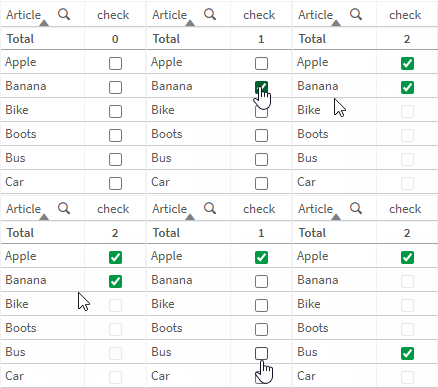
Let’s assume we want to allow a maximum of 2 selections.
- Boolean columns write
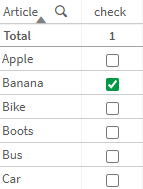
true&falsevalues. The number interpretation will be1&0. A simple sum aggreation on the column will suffice to get the count.
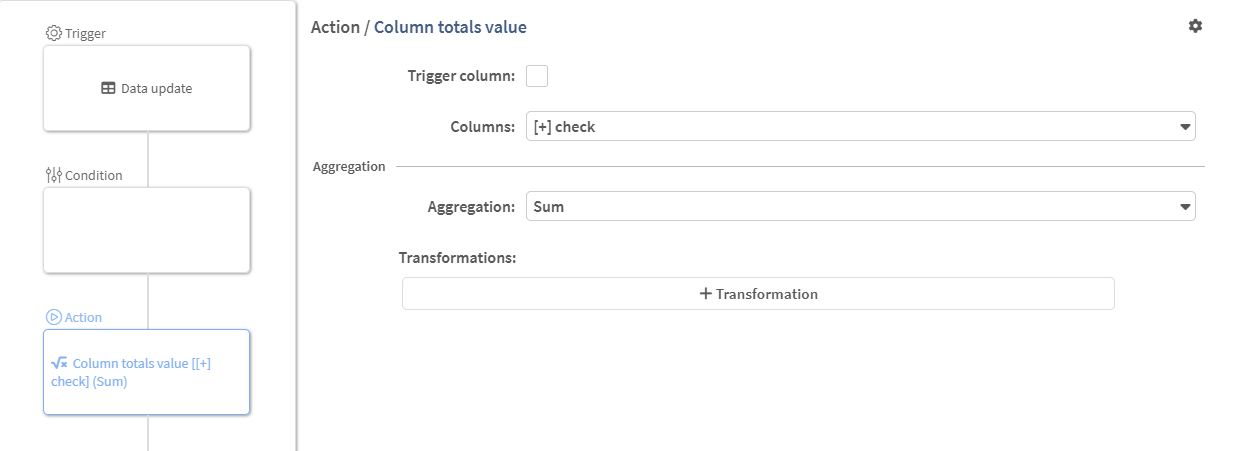
- If there are at least 2 selected rows, we want to disable all other checkboxes (no further selections can be made, but existing ones can be unchecked)
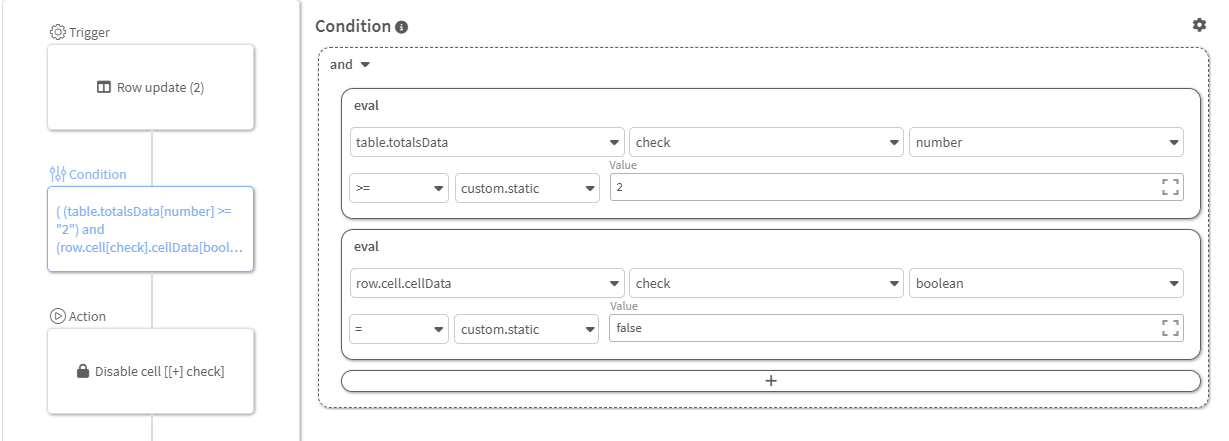
Rule Cycle
Let’s take a quick look at the rule execution cycle (row & data updates)
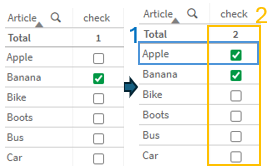
- Checkbox clicked
- [1] User input will:
- Reset row data on the changed row (background color, overwrite data, etc.)
- trigger a
row updatecheck, the total value is still 1 at this point
- [2] All other update events are done, the
data updaterule will calculate the new totals
We can add another step to this cycle, by selecting the Rerun after data update option in the row update trigger
This will trigger another row update on all rows once the data updates are done.
Further thoughts:
- This is not required for row group totals, they already trigger the
row updateon the row group - With the rerun option enabled on any rule, an additional check on all rows will be executed. This might degrade overall performance.
Last updated on