Reload progress display v2.30.0
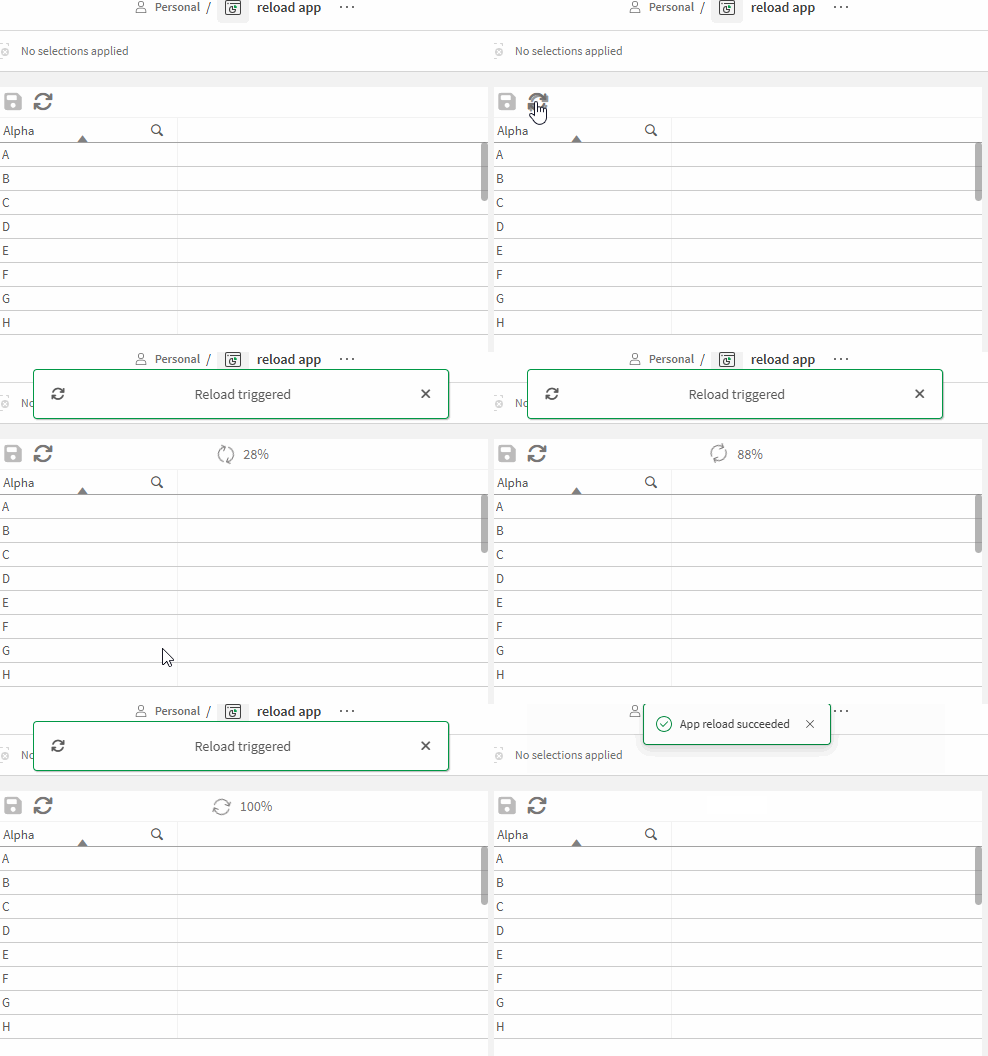
Create a progress display for App reloads in Qlik cloud. Keep in mind that API key restrictions apply.
- Create a custom button to trigger the reload (or use any other possible trigger)
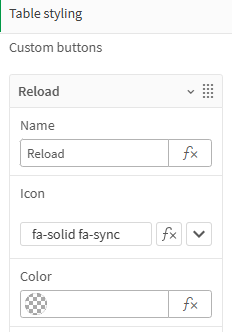
- Create a rule to trigger the reload (see Qlik documentation for possible reload parameters)

- Whenever this rule is executed, the trigger
Reload triggeredwill be activated- This rule will use the provided avgDuration to set the timer
- While an app is reloading, subsequent trigger calls will return the status
PendingRequestwithout an avg duration, we will use a simple condition to handle that
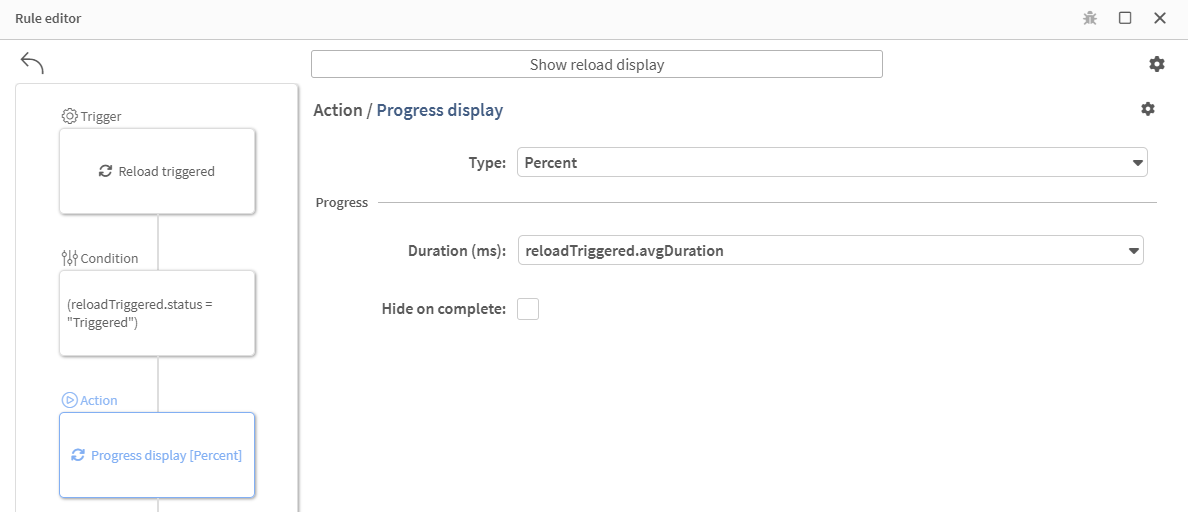
- We have two options now
- either simply hide the display when the set duration has passed
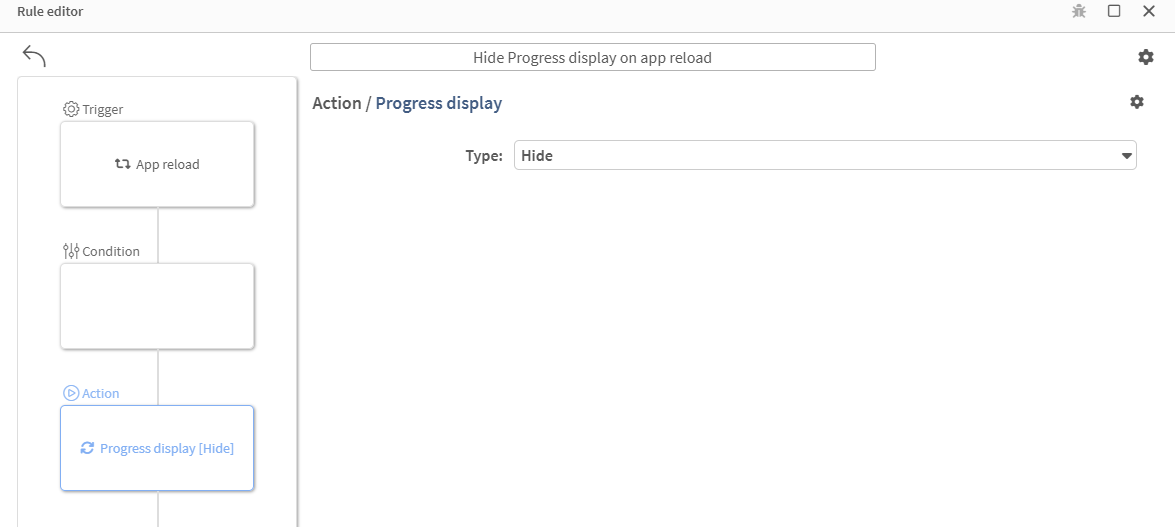
- or wait for the app reload to occur and hide the display with another rule
- Since reload durations are not 100% predictable, we will hide the display once the app is reloaded
Further thoughts:
- All required rules can be copied from the cheat sheet
- This example uses the default Data+ notifications for all possible trigger status messages. They can be disabled and fully customized though.
- When working with multiple users, only the reload triggering table has the status information. The
Send table broadcastrule action could be used to send the avg duration to other clients and show the progress display based on the broadcast message.
Last updated on